
Hi there,
Big news. After several months of head-down work, StoCu 2.0 goes live on Wednesday, June 10, and your store comes along with it. This is the rebuild I have been most excited about. It is built on Shopify's new customer-account technology, so your tiles keep running smoothly as Shopify moves off the older platform, and it opens up a whole new way to build.
|
|||||||||||||||||
Here's a look at what you're getting. | |||||||||||||||||
|
New A Templates Gallery with 36+ ready-to-use designsWe've built a full gallery of pre-made templates covering the different areas of customer accounts. Pick one, preview it, and customize it in Tile Studio, or start from a blank canvas. 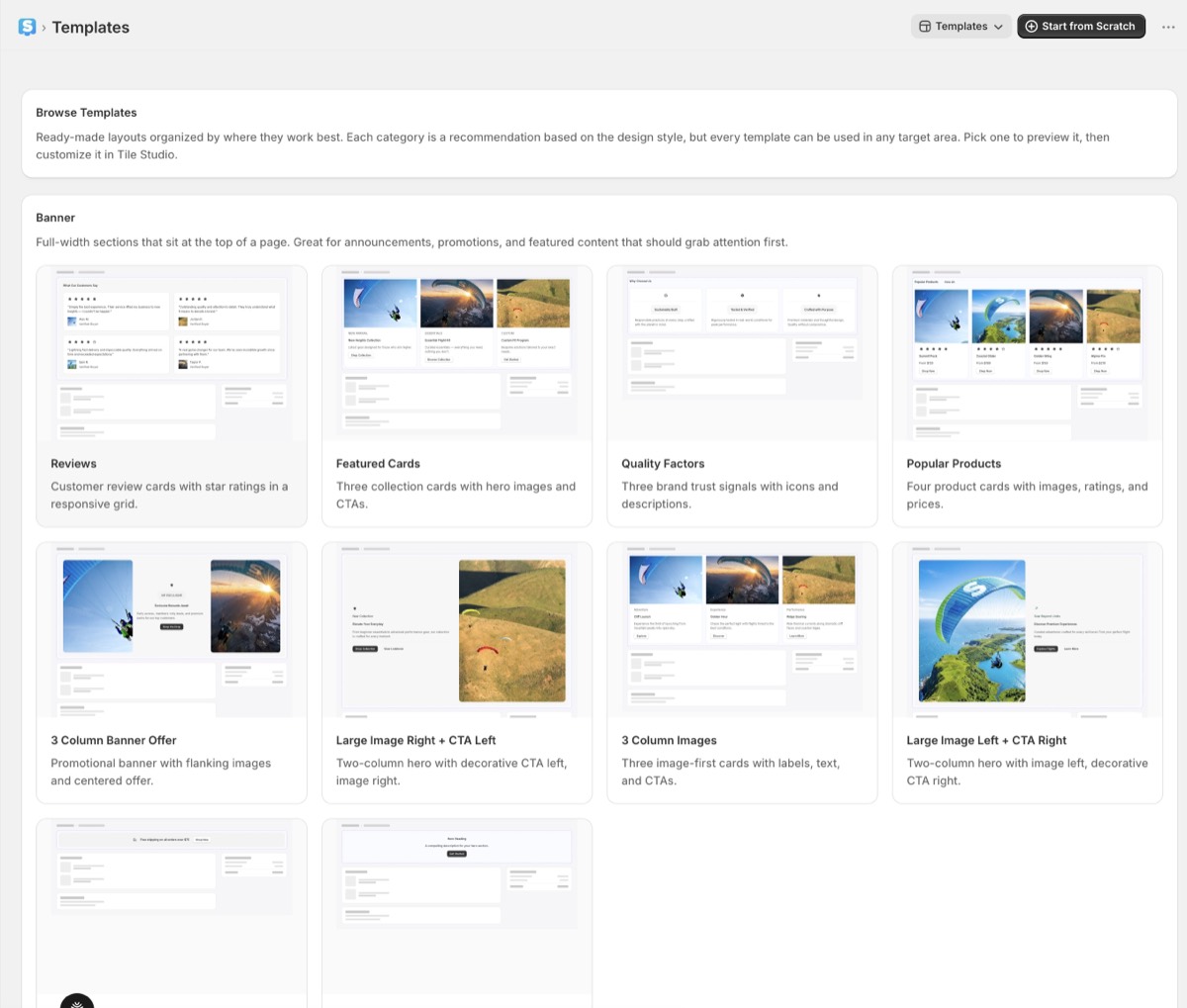
|
|||||||||||||||||
|
More flexible Richer, more advanced designsThe new editor supports truly nested layouts: side-by-side buttons, tiles that span a custom number of columns, and far more control over how everything fits together. It's remarkable what you can build in customer accounts now. 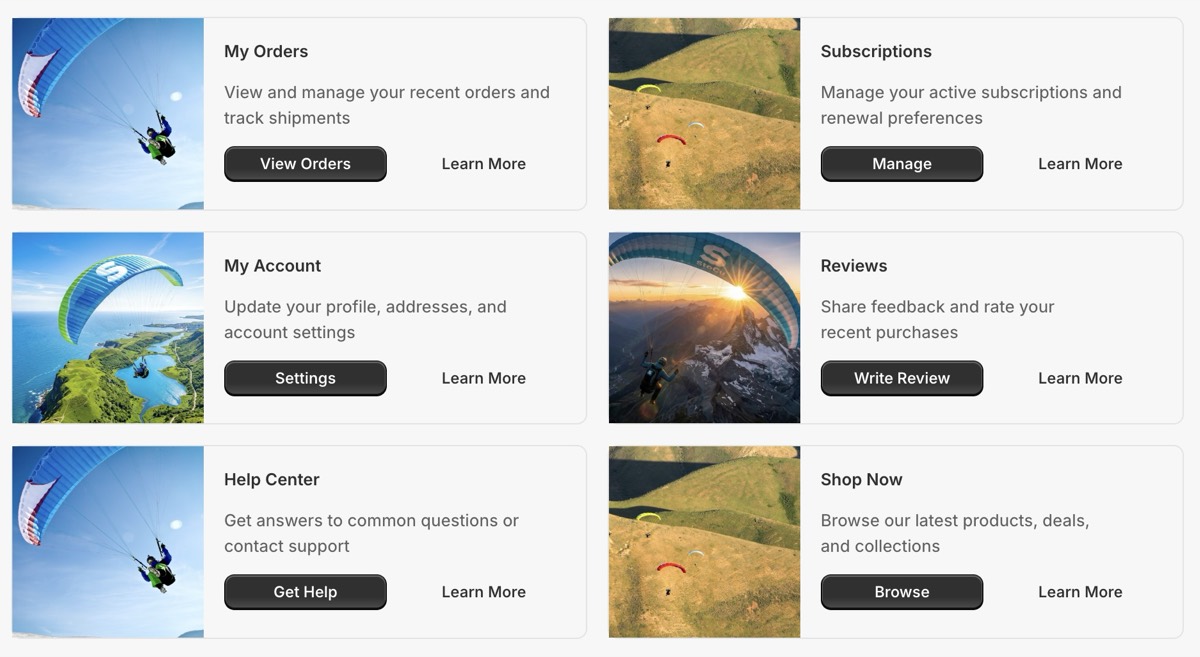
|
|||||||||||||||||
|
New Full custom pagesYou can now build complete custom pages. Assemble them tile by tile, or start from a ready-made full-page template and make it your own. 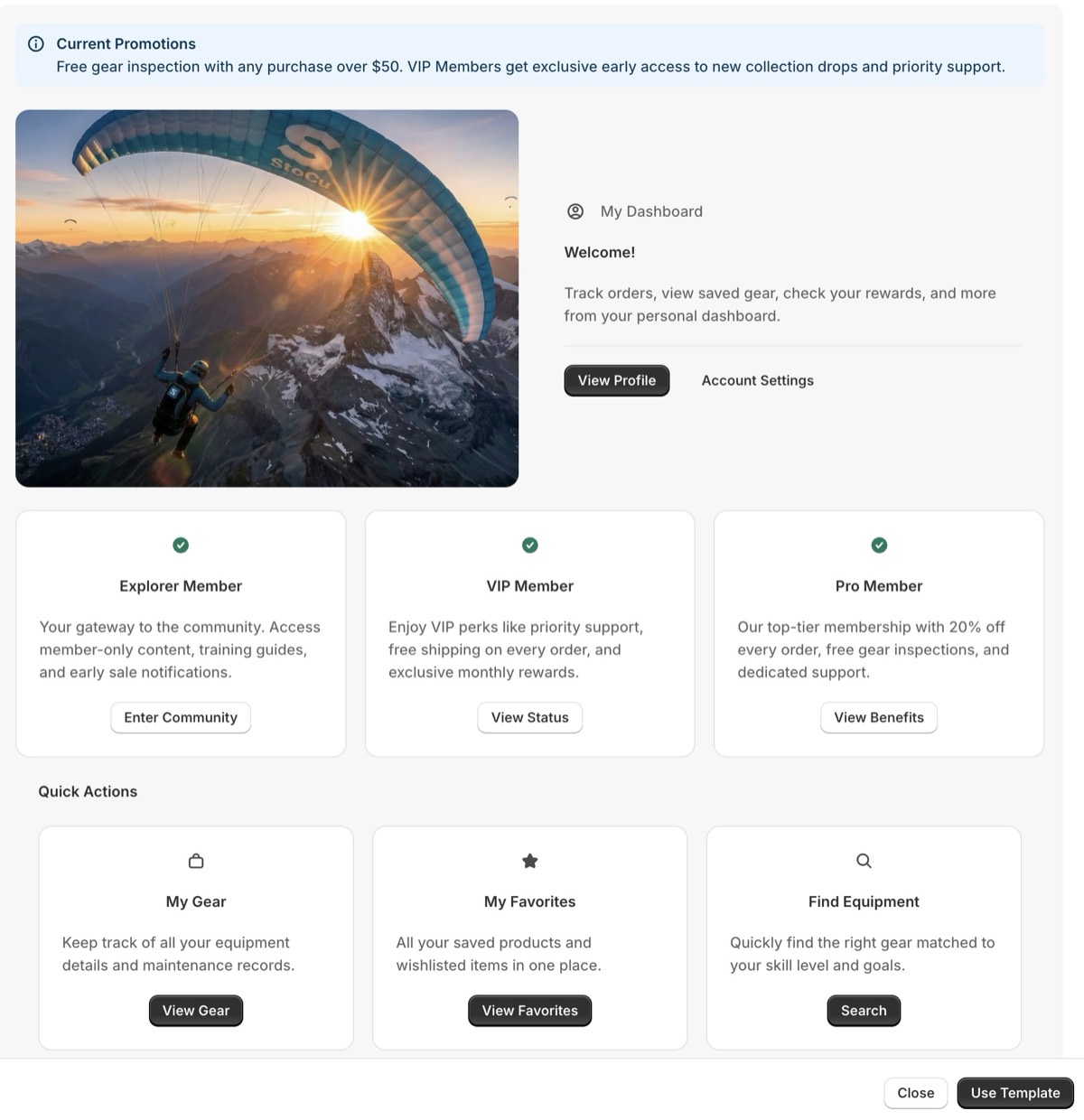
|
|||||||||||||||||
|
More powerful Smarter, more precise rulesWe've added many more order rule properties, with a focus on line items: SKU, product ID, product type, vendor, custom attributes, and more. Now you can decide exactly when and where each tile appears. 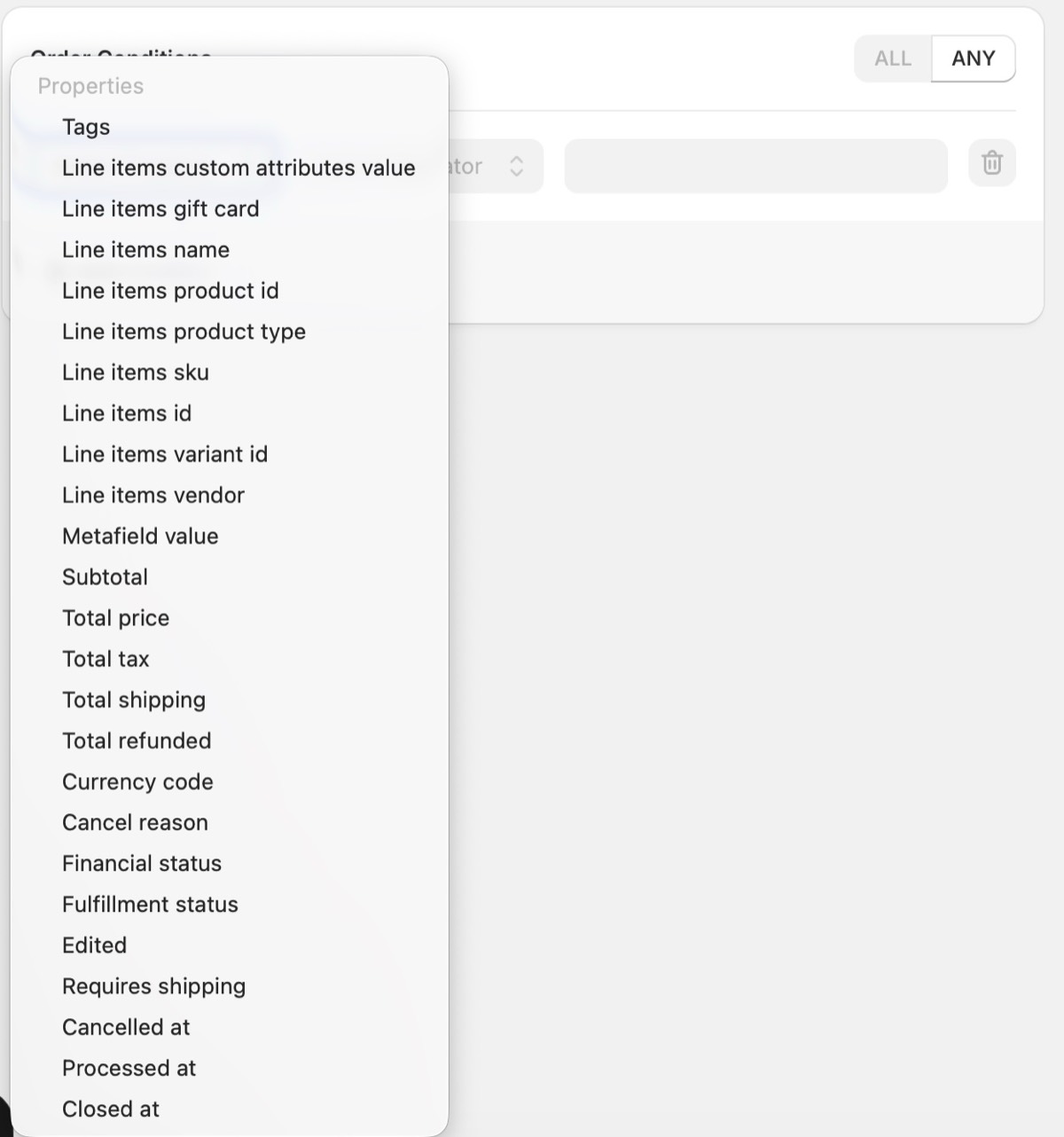
|
|||||||||||||||||
|
|||||||||||||||||
What to expectBecause the new editor is so much more flexible, some of your designs may look a little different after the move. That's exactly why step one is a quick visual check. I won't pretend it's zero effort, but it should only take a few minutes per store, and I'll be right there with you. One honest heads-up: with all the new nested-design flexibility, the Studio has more options than it used to, and at first that can feel a little overwhelming. Don't let it throw you. Everything you need is right there, so give yourself a few minutes to click around and play. Once it clicks, the sky really is the limit. I'll be hands-on and very available all week to make this as smooth as possible. If anything looks off, or you have a question at all, just reply to this email, and it comes straight to me. Thanks for being part of StoCu. I'm genuinely excited for you to get your hands on this. |
|||||||||||||||||
|
Jaren Founder, StoCu |